 |
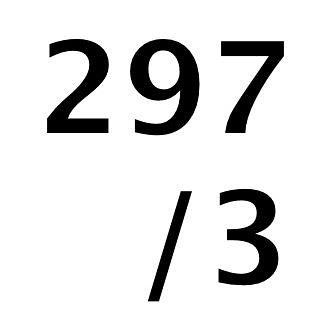
When you are laying out print guides with InDesign it can take a while to get everything just as you want them. This tip could make things a little bit easier for you. When inputting into the value fields of InDesign (for example to set the position of a guide) you can use simple maths. So if you want to place a guide half way across your A4 landscape page use ‘297/2’ and press enter. Bingo! Want a guide 4mm before the edge of the sheet- ‘297-4’. Blam! No more reaching for the Casio! This tip works pretty much across the board with InDesign, so see where it can help you out the most. I like to use it to when I have to calculate how many sheets of multiple up flyers I need for those longer print runs. |
STATUS UPDATE Thursday October 22 2026 - WE ARE MAINTAINING SERVICE AND DELIVERING ACROSS THE UK

